
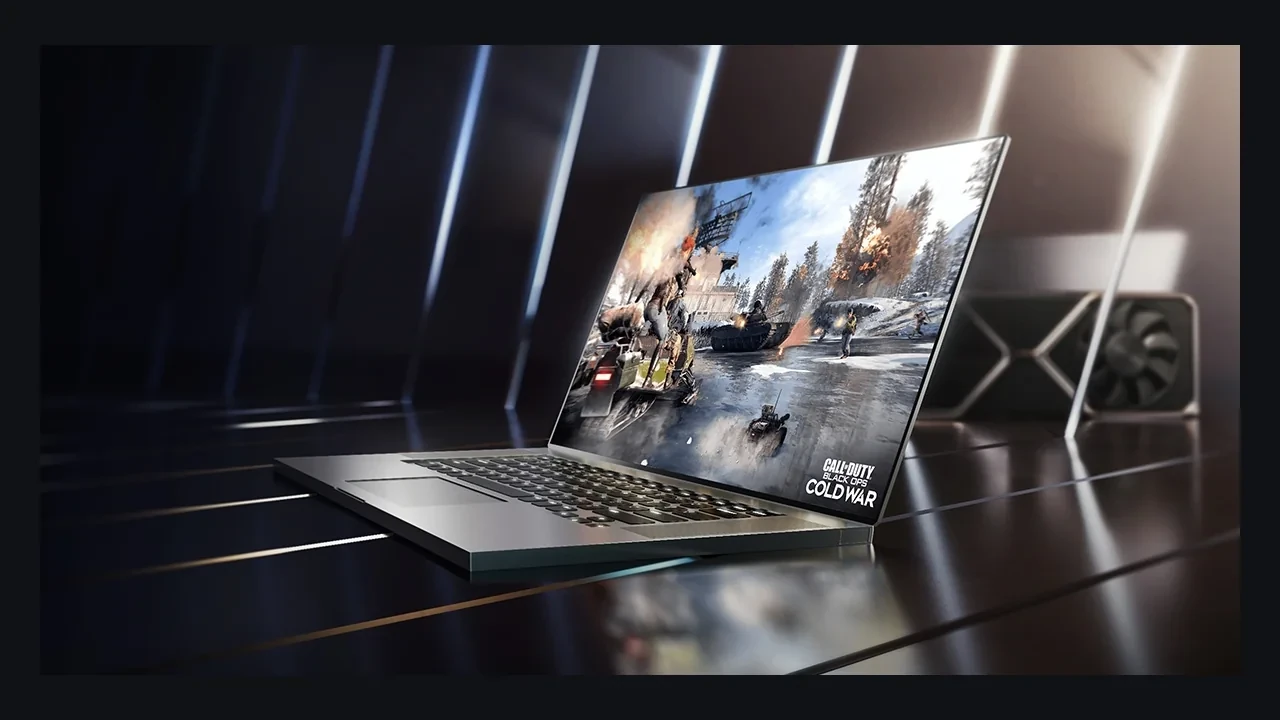

GeForce RTX 3070 Ti Laptop GPU DLSS 5 compatibility
The official position is clear: NVIDIA has not announced DLSS 5 launch support for the GeForce RTX 3070 Ti Laptop GPU. DLSS 4.5 Super Resolution and Ray Reconstruction remain the latest supported DLSS features on this part, and future DLSS 5 support is unknown.
That matters because this GPU is still common in 2026 gaming notebooks, development machines, and test pools. Developers should ship a complete DLSS 4.5 path and let the runtime reject unsupported options. Players can continue using the upscaling and ray-reconstruction features already available, but they shouldn’t expect an unannounced DLSS 5 switch.
What DLSS 5 refers to
DLSS 5 is NVIDIA’s newer reconstruction and enhancement release. The company’s research material describes a multi-component pipeline rather than one isolated toggle. DLSS 3 introduced Frame Generation, and DLSS 4 added Ray Reconstruction before the 4.5 bundle used on this GPU. Each generation has depended on particular hardware and driver branches, so compatibility must be checked per feature and per GPU.
For engine work, the family is easier to understand when separated into its individual layers:
- DLSS Super Resolution: the spatial-temporal upscaler and the feature most players identify as DLSS.
- DLSS Frame Generation: the optical-flow-driven frame interpolation layer introduced with DLSS 3 and refined in later branches.
- DLSS Ray Reconstruction: the learned replacement for hand-written spatiotemporal denoisers used by ray-traced effects.
- DLSS 4.5 bundle: the latest combination of Super Resolution and Ray Reconstruction on this GPU’s supported driver.
- DLSS 5: the newer release at the center of the compatibility question for this laptop GPU.
Super Resolution and Ray Reconstruction are the reliable assumptions for the GeForce RTX 3070 Ti Laptop GPU. Frame Generation has never been advertised on this part in the same form offered by newer Ada and Blackwell laptop GPUs. In practical terms, DLSS 4.5 is the current feature ceiling and DLSS 5 sits outside the launch support list.
No launch support for this laptop GPU
NVIDIA’s DLSS 5 launch communications don’t include the GeForce RTX 3070 Ti Laptop GPU. That omission has a narrow meaning:
- It isn’t a typo or a quiet addition. NVIDIA normally names supported laptop SKUs in compatibility tables, and there is no sign that this widely deployed part was reclassified after launch.
- It isn’t regional. DLSS feature support follows hardware and drivers, not geography. A regional driver can’t enable a feature on an unnamed GPU.
- It doesn’t prove permanent exclusion. A later driver could extend support, but NVIDIA would need to announce it. Until then, the GPU remains off the supported list.
- It doesn’t remove existing features. Supported games and every DLSS 4.5 feature continue to work with the same upscaling quality they had before the DLSS 5 announcement.
The defensible status is therefore short: DLSS 5 launch support has not been announced, while DLSS 4.5 Super Resolution and Ray Reconstruction remain officially supported.
Why the boundary matters to a 2026 PC build
DLSS 5 isn’t a generic switch available to every RTX device. A game that advertises it must still show which installed GPUs can run the path. The GeForce RTX 3070 Ti Laptop GPU remains common enough that a meaningful part of a PC audience will use DLSS 4.5 at most on launch day.
A newer Streamline SDK may contain both backends, but the paths cannot be allowed to bleed into one another. The DLSS 5 backend expects its own driver support; this laptop GPU should receive the 4.5 fallback. Forcing an unsupported path can produce a hard opt-out, where the upscaler doesn’t run, or a soft failure such as artifacts, dropped frames, or a black frame.
Two implementation rules prevent most failures:
- Trust the runtime rather than the product name. Streamline reports feature support for each platform and backend. Drive the settings menu from that result instead of maintaining a hard-coded GPU allowlist.
- Keep DLSS 4.5 fully usable. Quality presets, the mode selector, and Ray Reconstruction should remain complete on this GPU even when a newer backend exists elsewhere.
DLSS compatibility is granular. One GPU may support Super Resolution and Ray Reconstruction without supporting the next generation or every frame-generation feature.
What a correctly gated game should show
Players see compatibility in the settings menu, the first rendered frame after a change, and the frame counter or built-in benchmark.
- Options menu: the DLSS mode selector lists DLSS 4.5 modes (Quality, Balanced, Performance, Ultra Performance where applicable) and any DLSS 4.5 Ray Reconstruction toggle. The DLSS 5 mode entry is either absent or greyed out, with a tooltip that points to driver or hardware requirements.
- First frame: when the player selects DLSS 4.5 Quality, the upscaler engages, the internal render resolution drops to the expected internal target, and the output resolution matches the laptop display. No crash, no error pop-up, and no missing UI.
- Performance: the frame rate gain from DLSS 4.5 on this part is the same gain that a 3070 Ti laptop owner already experiences today. The new DLSS 5 features are simply not part of the equation on this GPU.
Bad gating usually fails in one of three ways: the upscaler silently disables itself, the game falls back to native rendering without notice, or the benchmark stays at 1.0x scaling while the DLSS 5 option does nothing. None is catastrophic, but all should be caught on a real 3070 Ti laptop before release.
Feature exposure for the GeForce RTX 3070 Ti Laptop GPU
The GeForce RTX 30 series reference provides the wider family context. For the exact laptop GPU, the runtime and current support status should drive the menu:
| Feature | Official support on GeForce RTX 3070 Ti Laptop GPU | Recommended in-game exposure | Failure mode if forced |
|---|---|---|---|
| DLSS 5 | Not officially supported at launch | Hide or grey out; do not select by default | Silent disable, visual artifacts, or a no-op option |
| DLSS 4.5 Super Resolution | Supported | Expose as the primary upscaling path | None within the supported driver |
| DLSS 4.5 Ray Reconstruction | Supported | Expose as the ray-reconstruction denoiser for RT effects | None within the supported driver |
| DLSS 3 Frame Generation (where applicable on this part) | Generally not a feature on this laptop SKU | Do not expose; runtime will typically not offer it | Feature unavailable on this part |
| NVIDIA Reflex | Independent of DLSS 5 support | Expose where the engine integrates it | Not a DLSS 5 compatibility concern |
Don’t advertise DLSS 5, keep DLSS 4.5 visible, and let the runtime gate everything else.
What owners should expect
The lack of official DLSS 5 launch support doesn’t reduce the GPU’s existing image quality or performance:
- Upscaling remains on DLSS 4.5. Quality, Balanced, Performance, and the associated preset logic continue to work.
- Supported ray-traced effects still use Ray Reconstruction. The denoiser and its visual character don’t change simply because a newer release exists elsewhere.
- No driver flag, registry edit, or config file officially unlocks DLSS 5. A forum workaround is not the supported backend.
- Future support remains unknown. Launch communications don’t promise it or rule it out.
The notebook remains a capable DLSS 4.5 machine. A newer marketing cycle doesn’t take those features away.
Use DLSS 4.5 as the performance baseline
A frame budget for this GPU must use DLSS 4.5 measurements. DLSS 5 results from another device describe a different backend and cannot be substituted.
- Use the slowest DLSS 4.5 mode as the floor. Ultra Performance, or the widest scaling mode available, is the point where a mobile configuration is most likely to exhaust its GPU time. Plan against that limit rather than assuming Quality.
- Treat DLSS 4.5 internal resolution as the working target. The display resolution stays fixed, but the internal input controls fill rate and shading cost.
- Label captures by DLSS generation. A graph that mixes 4.5 and 5 data cannot support a clean frame-time decision.
DLSS 5 and DLSS 4.5 are separate reconstruction backends, not one backend with a few extra switches. A profile made on this laptop GPU describes a DLSS 4.5 path. A profile from a DLSS 5-capable device describes something else.
The driver and SDK must agree
Streamline queries the driver, and the driver reports which backend the hardware supports. On the current public driver for this GPU, that answer is DLSS 4.5 supported and DLSS 5 unsupported. A studio doesn’t need its own static allowlist, but it does need to surface the runtime answer honestly.
A copied marketing list can leave the menu saying “DLSS 5: on” while the renderer silently runs DLSS 4.5. Drive the menu from runtime capability instead.
Run this short QA pass on every new PC build:
- Confirm the DLSS 4.5 modes appear in the options menu: Quality, Balanced, Performance, and any Ultra Performance variant that the game exposes should all be present and clickable.
- Confirm DLSS 5 does not appear as an enabled option: either absent or greyed out, with a tooltip that does not promise unavailable behaviour on this GPU.
- Confirm Ray Reconstruction engages on supported RT effects: the in-engine denoiser should switch from the hand-written path to the DLSS path when the option is enabled, and the visual character should match a reference capture.
- Confirm Reflex (if integrated) does not depend on the DLSS 5 flag: Reflex is independent of the DLSS feature generation, and it should remain available on a 3070 Ti laptop regardless of DLSS 5 status.
Hardware context in 2026
The RTX 30 laptop family stretches from thin-and-light RTX 3050 designs to the RTX 3080 Ti Laptop GPU, with the RTX 3070 Ti Laptop GPU in the upper-middle tier across Max-Q and non-Max-Q notebooks.
- Its behavior is well understood. Enough systems shipped with this GPU that its thermals, TDP range, and driver behavior are familiar by 2026.
- It is no longer the newest architecture. RTX 40 and RTX 50 laptop families receive the latest DLSS features first.
- Its installed base remains large. A mainstream PC release should include this GPU in its test matrix rather than treat it as a fringe configuration.
The NVIDIA DLSS 5 research page is the relevant source for the new release and its launch feature list. Read it beside the RTX 30 family reference when checking this laptop SKU.
How the DLSS generations map to this GPU
| DLSS generation | What it adds | Position on GeForce RTX 3070 Ti Laptop GPU |
|---|---|---|
| DLSS Super Resolution (original) | Spatial-temporal upscaling | Supported in legacy drivers; superseded by newer versions on this part |
| DLSS 2.x | Improved upscaling presets and image quality | Supported historically; no longer the current recommended path on this GPU |
| DLSS 3 Frame Generation | Optical-flow frame interpolation | Not a feature on this laptop SKU |
| DLSS 4.5 Super Resolution and Ray Reconstruction | Latest upscaler plus learned denoiser for ray-traced effects | Latest officially supported DLSS feature on this part |
| DLSS 5 | Newer reconstruction and enhancement pipeline | Not officially supported at launch; future support unknown |
The boundary follows the surrounding hardware generation: this laptop gets the recent features supported by RTX 30 mobile, then stops before the next generation’s launch path.
Driver age and game updates don’t change the answer
- Driver age isn’t the limiter. Current Game Ready and Studio drivers still support this mature GPU. The DLSS 5 boundary follows the hardware generation.
- A game build can’t promote the GPU. Choosing a newer SDK doesn’t add the part to the support list; the driver remains the source of truth.
- Any future extension belongs to NVIDIA’s release cycle. It would arrive through a driver release and matching Streamline SDK update rather than a game-only patch.
- The desktop RTX 3070 Ti is different hardware. Desktop and laptop SKUs have different power, memory, and compatibility records. This guidance applies only to the laptop GPU.
Wording for store pages and patch notes
Clear compatibility copy prevents support tickets. These statements match the current record:
- “DLSS 4.5 supported on GeForce RTX 30 series laptop GPUs; DLSS 5 support depends on the specific laptop SKU.” This keeps the generation boundary visible without listing every SKU.
- “DLSS 5 is not available on GeForce RTX 3070 Ti Laptop GPUs at launch.” QA can verify that statement directly on a test system.
- “The GeForce RTX 3070 Ti Laptop GPU runs DLSS 4.5 Super Resolution and Ray Reconstruction.” This names the supported features without implying a regression.
Avoid promises such as “DLSS 5 is coming soon to all GeForce RTX GPUs.” NVIDIA hasn’t made that commitment, and the wording creates an expectation the game cannot meet.
Long-term ownership
- DLSS 4.5 should continue working while NVIDIA ships RTX 30 mobile drivers. New and existing games can keep using Super Resolution and Ray Reconstruction.
- DLSS 5 remains a separate question. A later extension would require its own NVIDIA announcement.
- Existing game libraries remain usable. PC games in 2026 still target the DLSS 4.5 feature surface on this hardware.
- A specific need for DLSS 5 becomes a hardware decision. An RTX 40 or RTX 50 series laptop is the safer target while the driver can’t bridge the generation gap on this part.
Notes for engine and tools teams
- Use runtime capability as the source of truth. A global marketing-derived table can misrepresent this laptop GPU.
- Keep a 3070 Ti laptop in the QA matrix. Its installed base makes it a meaningful 2026 compatibility target.
- Tag telemetry by DLSS generation. Separate 4.5 and 5 captures instead of mixing them in one graph.
- Record the requested backend in crash and opt-out reports. Support staff should be able to see whether the runtime was asked for an unavailable path.
A new generation is a good time to clean up this tooling because unsupported-backend failures tend to appear on hardware that otherwise receives little active debugging.
Current support at a glance
- DLSS 5 launch support: not announced; the GPU is not on NVIDIA’s launch support list.
- Latest officially supported DLSS feature: DLSS 4.5 Super Resolution and Ray Reconstruction.
- Frame Generation on this part: not a feature in the same form as on newer laptop SKUs.
- Developer action: respect the runtime, expose DLSS 4.5, and hide or grey out DLSS 5.
- Player expectation: this remains a capable DLSS 4.5 laptop with no feature loss caused by the DLSS 5 launch.
Frequently asked questions
Does the GeForce RTX 3070 Ti Laptop GPU support DLSS 5?
No. NVIDIA hasn’t announced launch support for this GPU, and it isn’t on the published launch list. Future support is unknown. DLSS 4.5 Super Resolution and Ray Reconstruction remain the latest supported features.
What is the newest supported DLSS release?
DLSS 4.5 is the latest officially supported feature package for this part, including Super Resolution and Ray Reconstruction.
Could a later driver add DLSS 5?
That isn’t known. The launch material neither promises nor rules out a later extension. Any change would require a separate driver and SDK announcement.
Can a mod, config file, or registry edit enable it?
No public tweak creates an officially supported DLSS 5 backend on this GPU. A tool may rename another feature or alter an internal game flag without engaging DLSS 5.
Should a game advertise DLSS 5 if it runs on this laptop?
No. The correct label is that DLSS 4.5 is supported and DLSS 5 is unsupported on this GPU at launch.
Does DLSS Frame Generation work here?
It isn’t the same feature offered on newer laptop SKUs. Plan around DLSS 4.5 Super Resolution and Ray Reconstruction, then let runtime detection report any frame-generation-style feature a particular build can expose.
Does the missing DLSS 5 path change ray-traced performance?
No DLSS 5 path is engaged. Ray Reconstruction under DLSS 4.5 remains the denoiser that shapes supported ray-traced effects and their performance.
Is this the same as a desktop RTX 3070 Ti?
No. The SKUs have different power limits, memory configurations, thermals, and performance. Desktop data and compatibility statements don’t transfer automatically to the laptop GPU.
Where should I verify the supported GPU list?
Start with NVIDIA’s DLSS 5 research and product material, then check current driver and SDK notes. Use the RTX 30 series reference for the laptop lineup. A hardware change should appear in current NVIDIA documentation rather than cached launch text.
Should a buyer avoid this GPU because of DLSS 5?
That depends on the games and the price. It remains a viable mid-range notebook GPU in 2026 with capable DLSS 4.5 upscaling and Ray Reconstruction. Buyers who specifically need DLSS 5 should choose hardware with an official support record.
Leave a Reply